Troubleshoot Indexing Errors with the Technical Issues Content View
- Support Center
- Content Inventory
Troubleshoot Indexing Errors with the Technical Issues Content View
When it comes to SEO, even the best content can be held back by technical issues that prevent search engines from indexing your pages. That’s where the Technical Issues Content View comes in. This view focuses entirely on surfacing monitored pages in your Content Inventory that may be blocked from indexing due to common errors—like redirects, canonical mismatches, or crawl failures. It’s designed to help you answer the question: “What’s stopping my content from being discovered?” and gives you the clarity needed to troubleshoot quickly and confidently.
Understanding the Technical Issues Content View
Search engine visibility starts with proper indexing. If your pages aren’t being crawled or indexed, they won’t appear in search results - no matter how well-optimized the content is. The Technical Issues Content View helps you catch these problems early, so you can take action before they impact traffic, rankings, or performance.
This view is especially useful for quickly identifying pages that are not being indexed by Google due to problems like redirects, canonical mismatches, crawl errors, or blocked resources. By centralizing these insights, the Technical Issues view saves you from manually checking each page and gives you a clear path toward improving your site’s technical health.
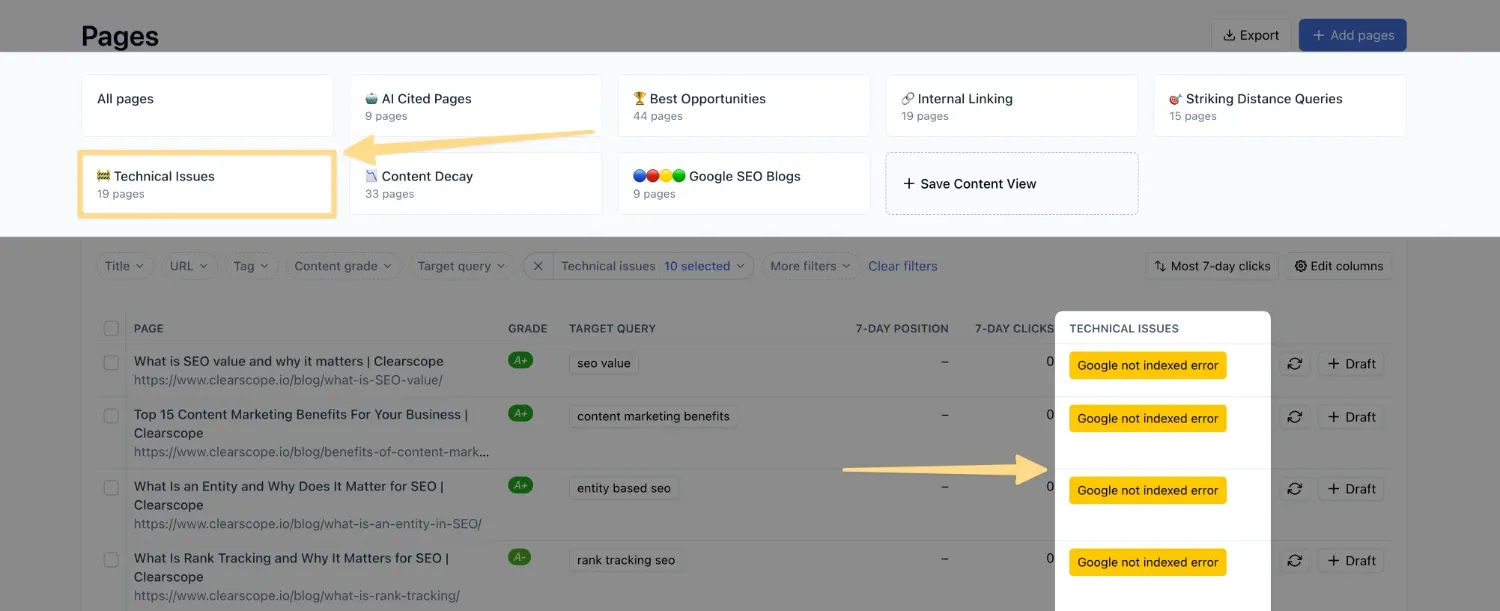
Accessing Your Technical Issues View
Start by accessing the Pages tab within your Content Inventory, and select Technical Issues from the available options at the top of the page. When you select the Technical Issues view, Clearscope scans your monitored pages for common indexing errors that can prevent search engines from discovering and ranking your content. These issues are surfaced directly in the Technical Issues column, where you’ll see a brief label describing the problem. Clicking on the issue opens a detailed explanation, helping you understand what’s causing the error and how it might be resolved.
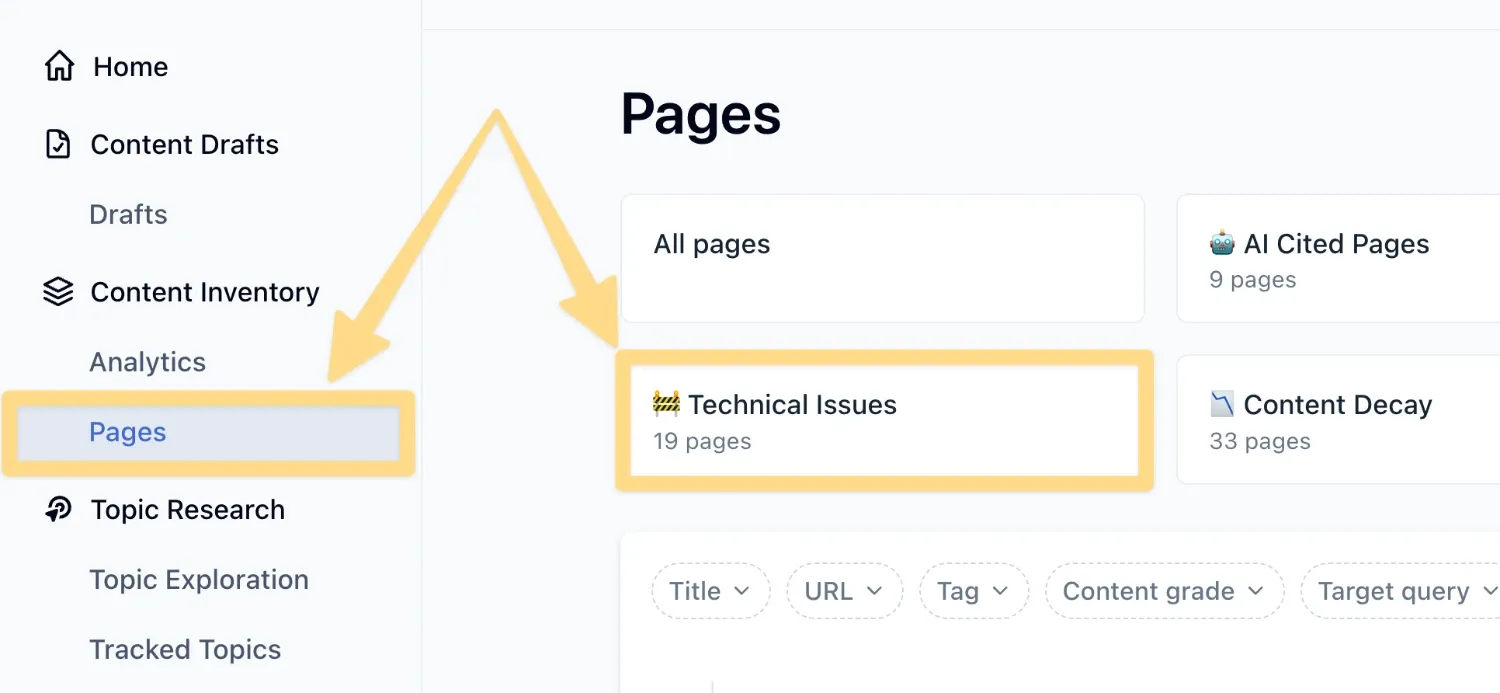
Common Technical Issues You May Encounter
Some of the most frequent indexing blockers include:
Pages with redirects
Canonical tag errors
Google crawl server/client errors
Pages blocked by robots.txt
Google indexing blocked or no content errors
Each issue is labeled clearly in the dashboard, and clicking on it reveals a short explanation of what it means and why it matters. Use the detailed issue explanations to guide conversations with your developers or SEO team as these insights can help streamline troubleshooting and ensure that your content is technically sound and ready to rank. This makes it easy to prioritize fixes and collaborate with your technical team or developers.
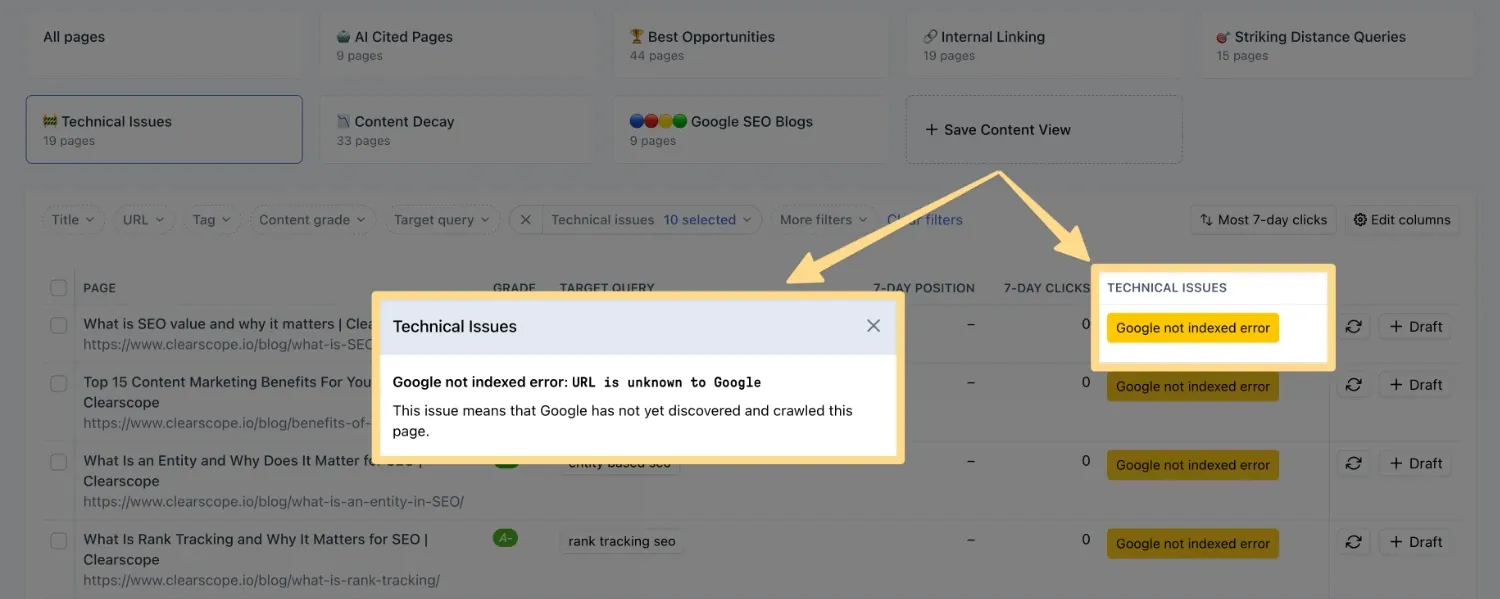
The Technical Issues Content View is your go-to resource for identifying and resolving indexing blockers across your content inventory. By surfacing common technical errors and providing clear explanations, this view helps you maintain a healthy site structure and maximize your content’s visibility in search engines and also AI platforms.