Surface Your Priority Pages with the AI Cited Pages Content View
- Support Center
- Content Inventory
Surface Your Priority Pages with the AI Cited Pages Content View
If you’ve already explored our guide to Content Views, you know how these starter views help organize and surface insights from your Content Inventory. Building on that foundation, the AI Cited Pages Content View takes things a step further by connecting Tracked Topics AI citation data with your monitored pages. This view is designed to answer the question: “Which of my pages are being cited by AI?” and provides a clear starting point for prioritizing your AI optimization efforts.
Understanding AI Cited Pages
AI chatbots are becoming a major channel for information discovery. If your pages are being cited, they are already part of the conversation. The AI Cited Pages Content View ensures you can recognize and build upon that visibility, keeping your content authoritative in AI‑driven contexts while guiding you toward areas with the greatest potential impact.
The AI Cited Pages Content View highlights which of your pages are already appearing in AI chatbot responses. By surfacing this information, it helps you quickly identify content that is gaining traction in AI‑driven search experiences and gives you a roadmap for strengthening those pages.
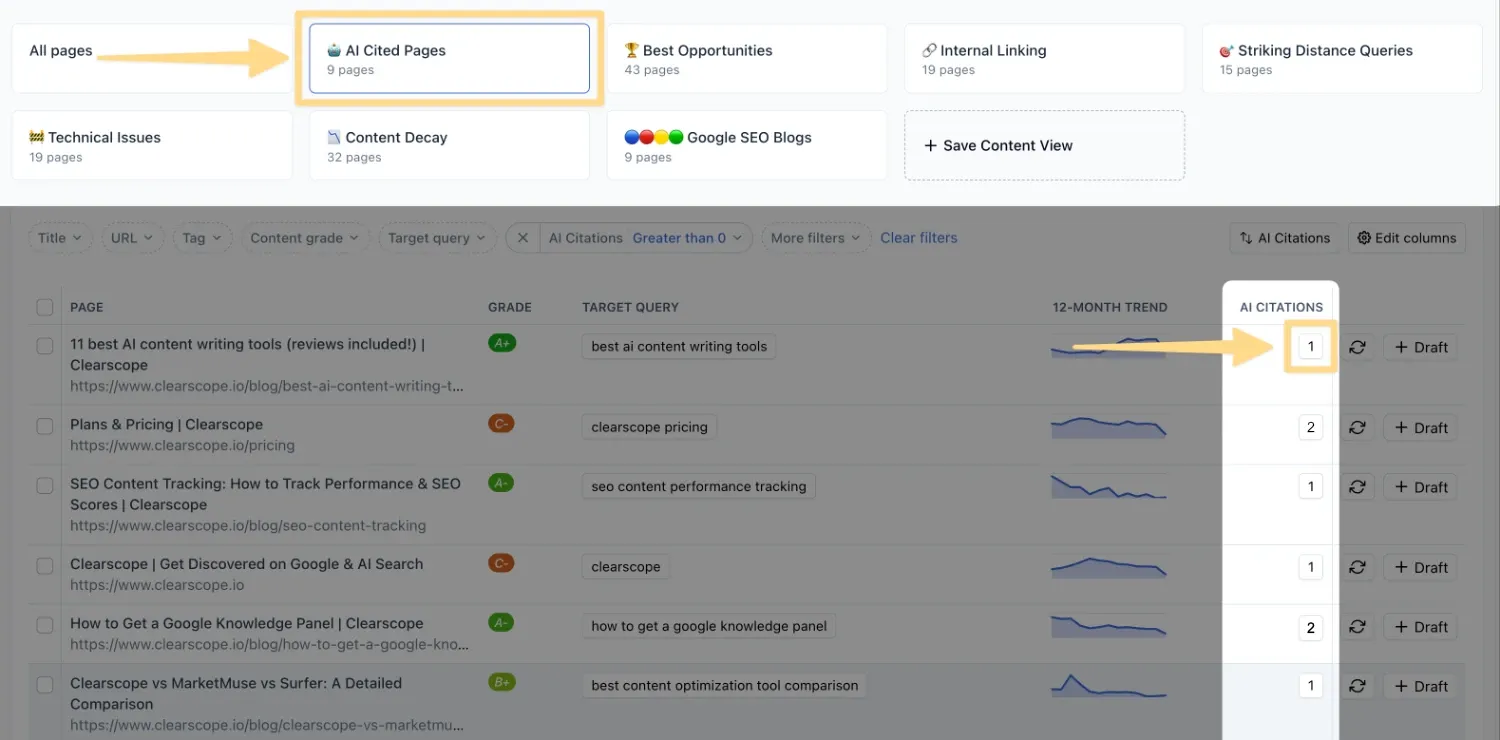
Accessing Your AI Cited Pages View
Accessing the view is straightforward. From your Content Inventory, select the Pages tab and select AI Cited Pages from the available starter views at the top of the page. Once selected, you’ll see a filtered view of your monitored pages that have been cited by AI, along with relevant Tracked Topics data in the AI Citations column. This gives you immediate insight into which pages are gaining traction in AI platforms.
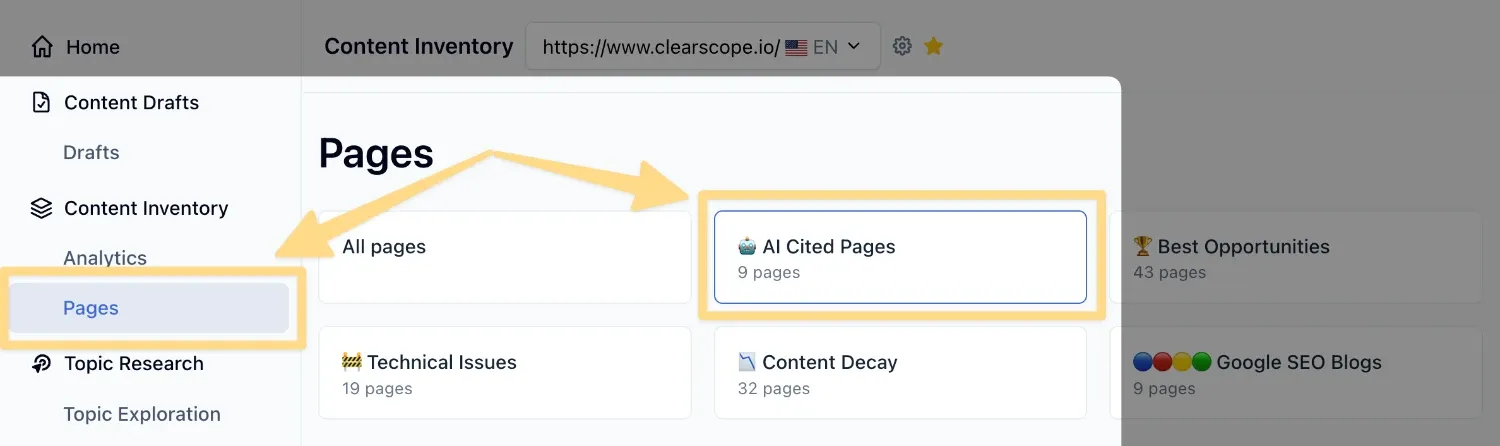
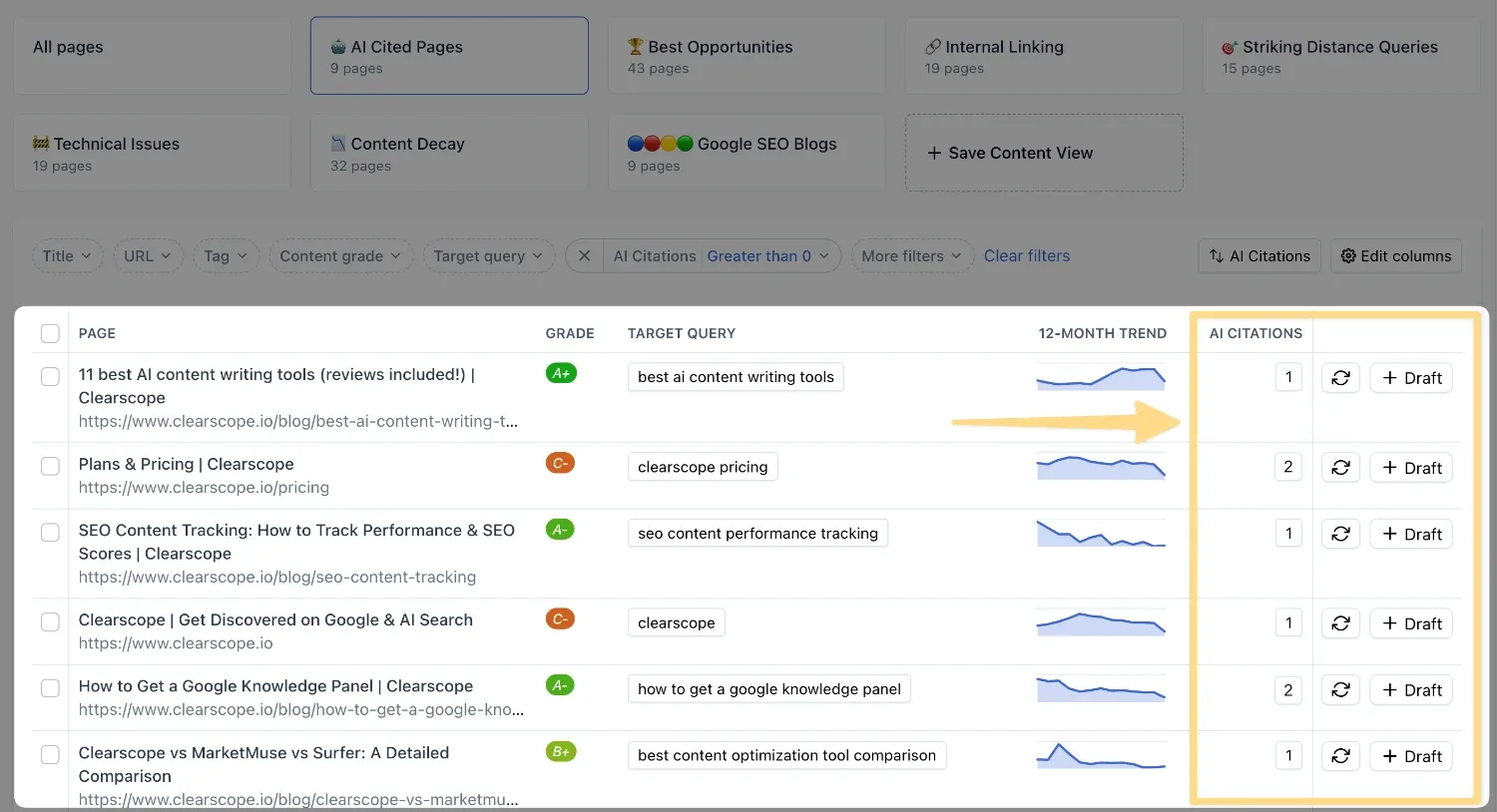
How to Leverage the AI Cited Pages View
To make the most of the AI Cited Pages View, start by identifying which of your pages are frequently cited in chatbot responses. These pages represent high-value opportunities for optimization, since they’re already being surfaced to users through AI. Refreshing or expanding them ensures the information remains authoritative and aligned with your tracked topics.
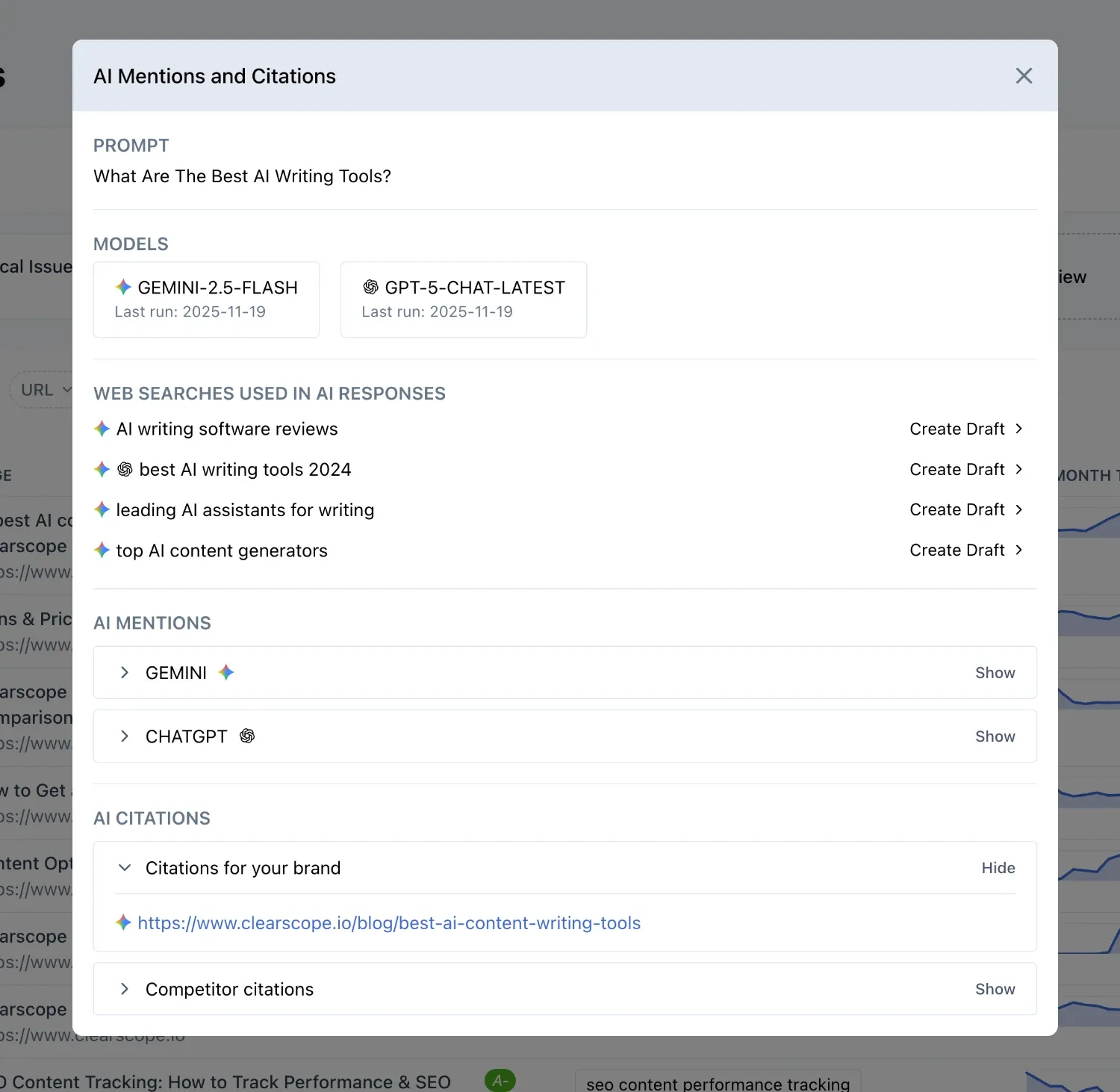
When you click into a page’s AI Citations, a popup window provides deeper insight into how your content is being referenced. You’ll see the topic assigned to the page, the prompt used to test AI citation, and whether the citation appears in GPT or Gemini. From there, you can dig into the full prompt, the specific AI models used, and the last time the test was run.
Importantly, the popup also surfaces the web searches the model performed to shape its response. These searches highlight topical gaps and give you clear opportunities to expand coverage — by creating or refining content that addresses those queries, you can influence how AI systems validate and cite your pages
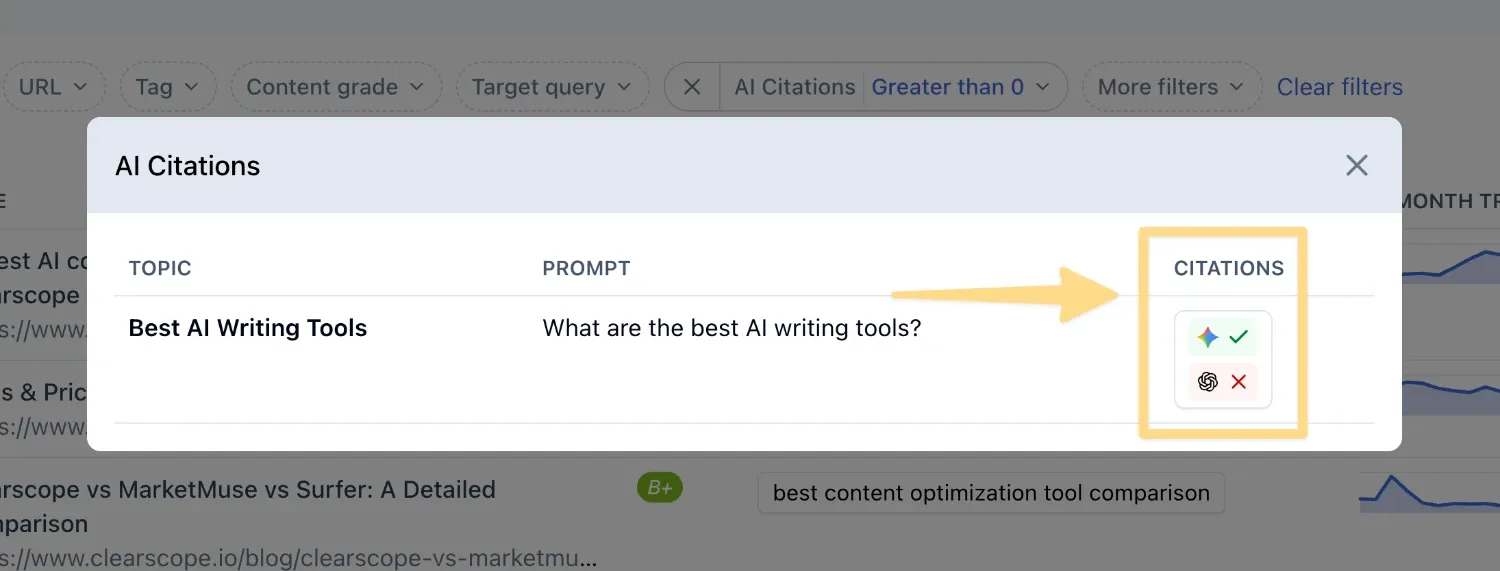
The expanded view also shows the AI-generated response itself and the domains cited alongside your content. This context helps you double down on pages that are already being cited, ensuring they remain accurate, comprehensive, and competitive. Because these pages are actively referenced in AI outputs, investing in their improvement delivers immediate impact.
The AI Cited Pages View is designed to be both diagnostic and actionable. By revealing not just which pages are cited, but also the underlying prompts, searches, and responses, it equips you to strengthen topical authority, close coverage gaps, and maximize the visibility of your content in AI-driven search experiences.